Getting Started
This page takes you from launching Rip N Ship to completing a safe first session.
1. Start or load a save
The game has three independent save slots. Choose an empty slot for a new career or Play beside an existing collection. Rename and delete operate only on the selected slot.
Your money, day and time, streamer level, cards, sealed products, grading orders, displays, and per-save room options belong to that save.
2. Learn the main room
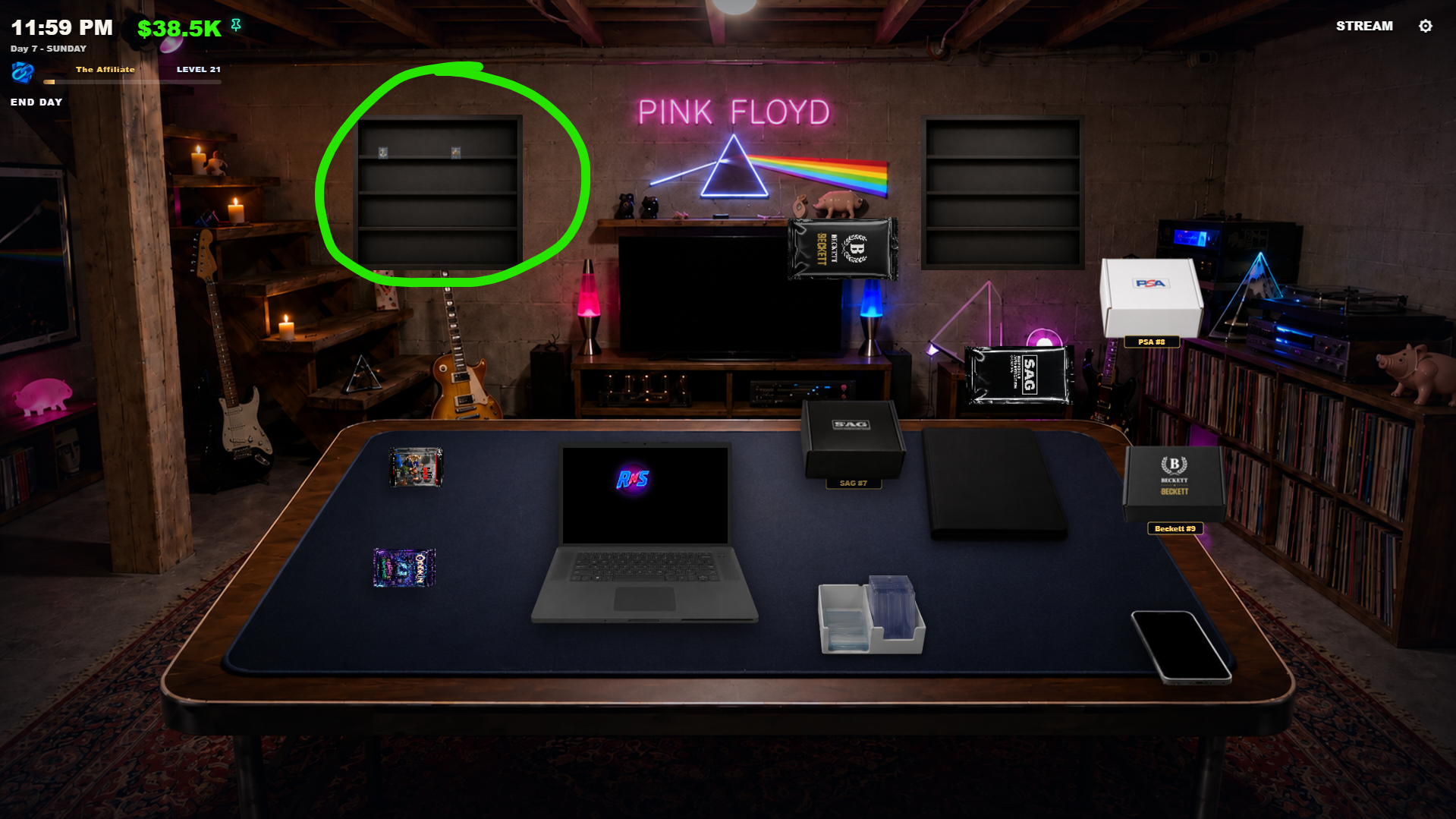
The table is your hub:
- Laptop: CardBay, collection management, supplies, and grading websites.
- Binder: Browse and organize the cards you have filed.
- Card caddie: Sort new cards and add protection.
- Phone: Read messages and delivery updates.
- Packs and stacks: Pick up sealed products and begin an opening.
- Grading kits and returns: Pack submissions or open returned slabs.
- Display shelves: Show protected cards and slabs after they unlock.
- TV: Opens Stream mode when that system is available.
Turn on Control Hints in Settings while learning. The bottom of the screen changes to show what the current object supports.
3. Open your first product
Choose a pack or stack on the table and follow the on-screen prompts. During the reveal, inspect anything interesting before sending the cards to your collection. See Packs & Card Care for every action.
4. Sort and protect the cards
Open the caddie after the rip. Common actions are:
- Review the card.
- Add a sleeve.
- Add a top loader for cards you may display, sell, or grade.
- File cards in the Binder when you want them organized by set.
Protection is functional. A card must be properly prepared before it becomes eligible for some destinations.
5. Check the laptop
Use the laptop to understand what you own and what you can afford. CardBay lists available sealed products and eligible cards. Grading sites only show properly prepared cards that are not already committed elsewhere.
6. Finish safely
When you are finished, use the in-game day control or Save & Exit from the gameplay pause menu. Wait for the save to finish before closing the application.
Do not force-close while saving
Do not end the process, shut down the computer, or interrupt Steam Cloud while the game is writing a save. Rip N Ship keeps recovery data, but a clean exit is always safest.
Best first upgrades
- Keep enough cash available for the next product or supply purchase.
- Protect valuable pulls instead of treating every card identically.
- Learn the Binder and CardBay before committing cards to grading.
- Start with SAG grading before adding community grading providers.
- Use one system at a time; the room becomes much easier once each station has a clear purpose.