Complete Card Set Guide
Creator Studio makes card sets, single loose cards, CardBay room items, and room themes for Rip N Ship. This guide follows a complete custom card set from prepared image files to a tested Workshop release.
The most important rule is simple: work through the sections from top to bottom.
- Set Info
- Rarities
- Cards & Variants
- Products
- Pack Slots
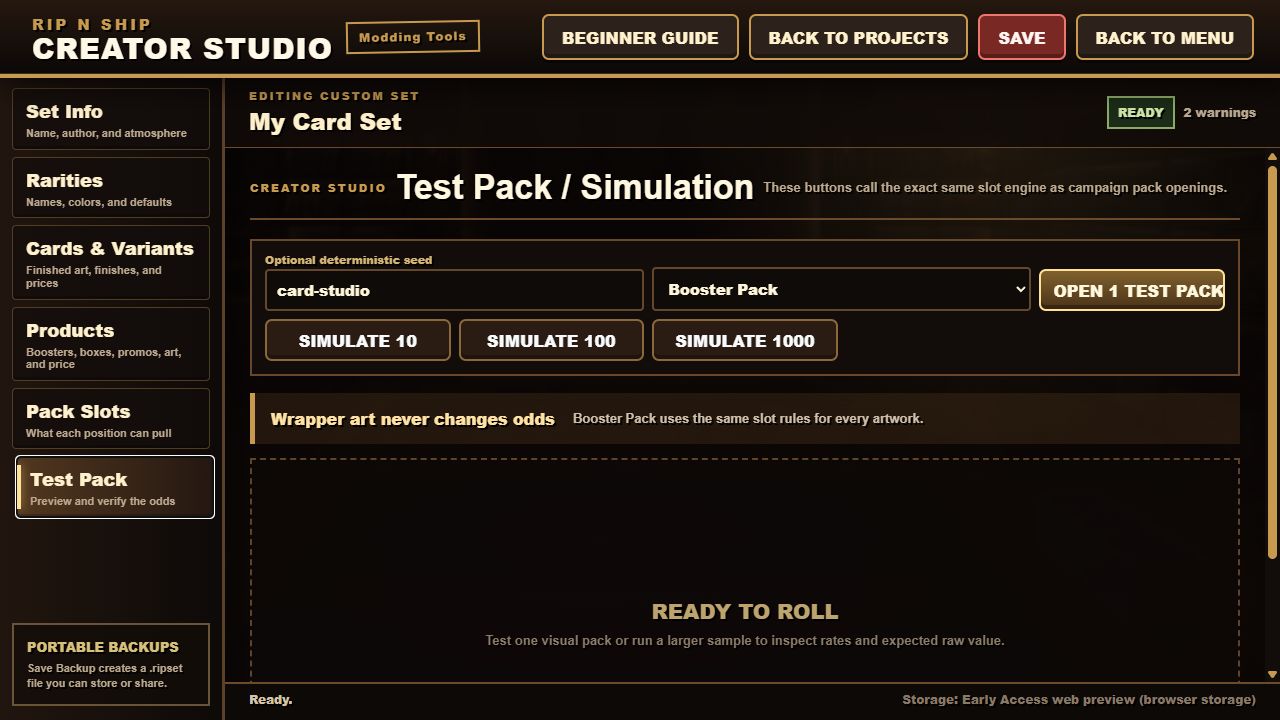
- Test Pack
- Save, back up, and publish
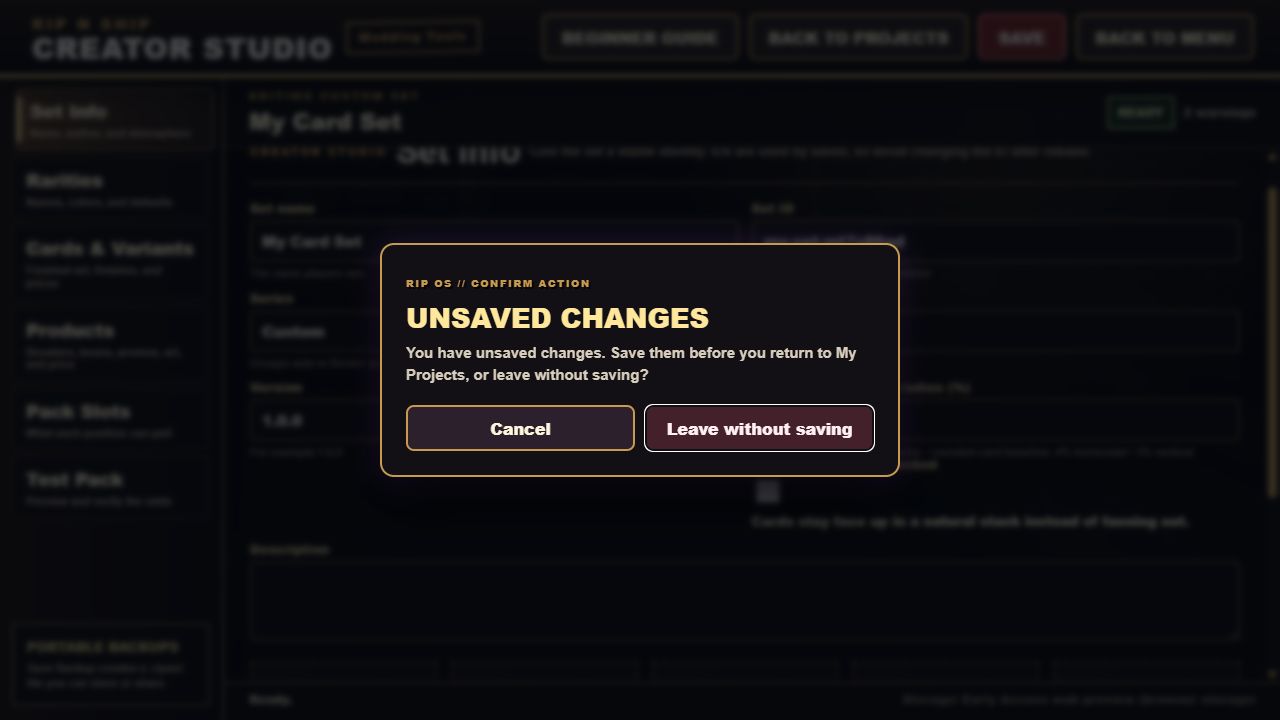
You can save at any time. A red SAVE button means the open project has changes that are not on disk. A green SAVED button means the project on disk matches the editor.
1. Start a project
Open Creator Studio from the main menu. The My Projects dashboard has five choices:
- Card Set creates a collection with cards, variants, sealed products, and pack odds.
- Single Card creates one standalone loose card for CardBay. It does not appear in packs.
- Item creates one movable CardBay room prop from an image or optional GLB model.
- Room Theme creates main-room and Stream-room backgrounds.
- Import Project opens a local
.ripsetproject or backup.
Choose Card Set for this walkthrough.
2. Prepare the files
Creator Studio expects finished card images. It does not add borders, names, rules text, collector numbers, or logos.
Card images
- Recommended size: 800 x 1116 pixels
- Aspect ratio: 200:279
- Supported types: PNG, JPG, WebP, AVIF, GIF, and BMP
- A transparent PNG is useful for masks; a normal card front does not need transparency.
You may give every card its own back. If you do not, the card uses the shared back from Set Info.
Project and product art
- Set icon: square, 512 x 512
- Pack wrapper: 907 x 1483 recommended
- Main-room background: 1920 x 1080
- Stream-room background: 1920 x 1080
- Audio: MP3, WAV, OGG, or WebM
Keep the source art somewhere safe outside the game too. A .ripset backup is portable, but it should not be the only copy of valuable artwork.
3. Optional batch-import naming
Batch import can create several cards from correctly named files. A safe generic pattern is:
CST-001_Custom_Card__front.png
CST-001_Custom_Card__back.png
CST-001_Custom_Card__v-holo__front.png
The pieces mean:
CSTis your short set code.001is the collector number.Custom_Cardbecomes the display name.__frontand__backidentify the image side.__v-holocreates a separate variant named Holo.
Keep the same collector number for the front, back, and every variant of one card. Only use a new collector number for a different base card.
You do not have to use batch import. Adding cards one at a time is slower but easier while learning.
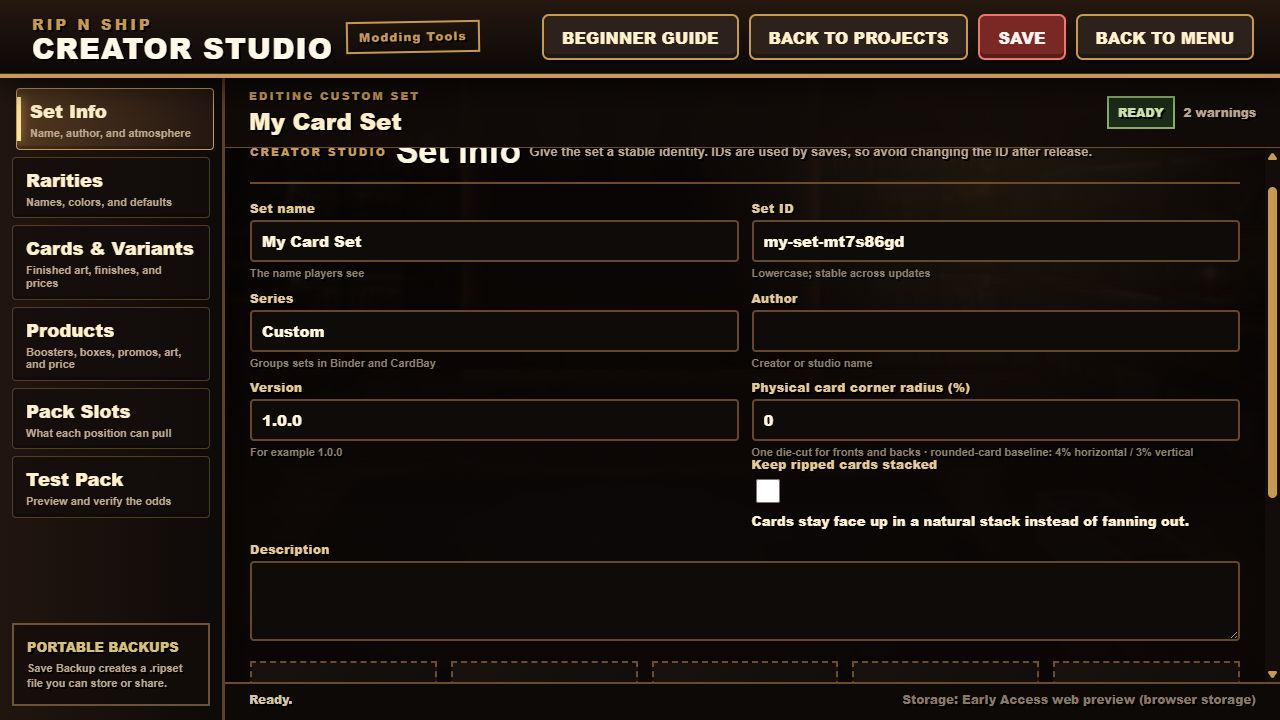
4. Set Info
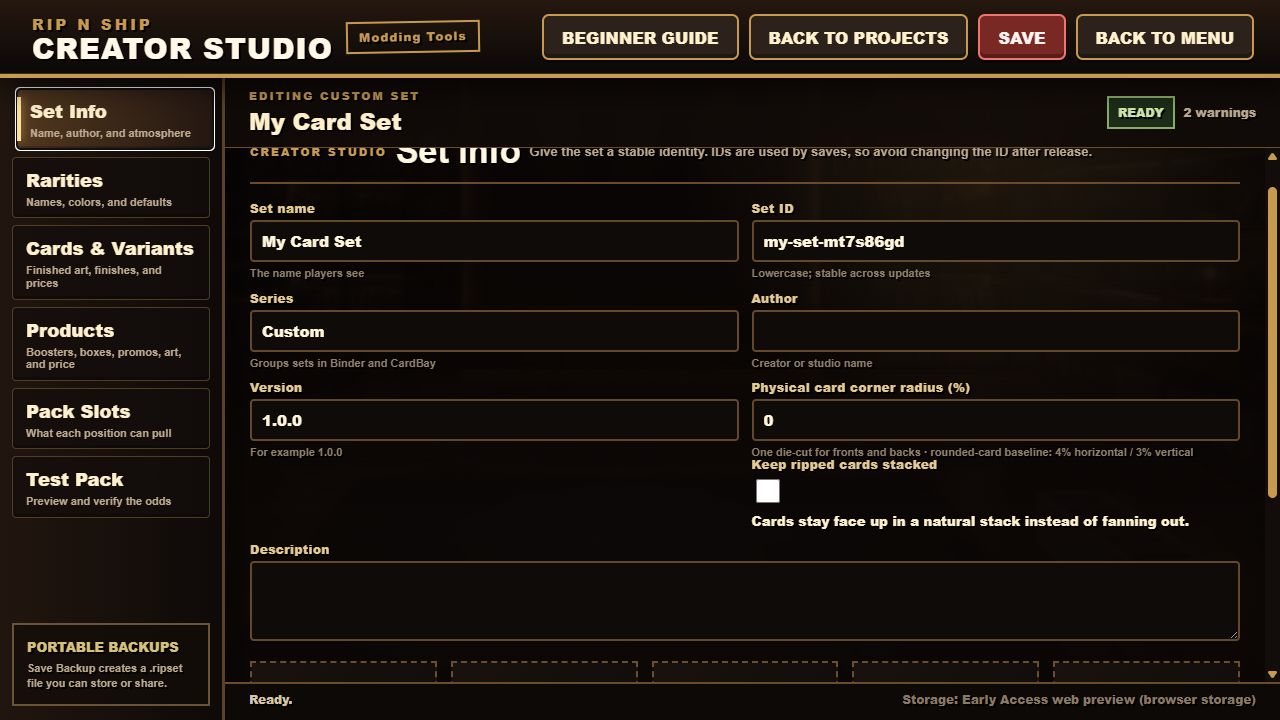
Set Info gives the project its identity.
- Set name is what players see.
- Set ID is the permanent internal identity. Use lowercase letters, numbers, dashes, or underscores. Do not change it after release.
- Series groups the set in Binder and CardBay.
- Author is the creator or studio name shown to players.
- Version should increase when you publish an update, such as
1.0.0to1.0.1. - Description tells players what the project contains.
- Physical card corner radius controls the visible cut of the card.
- Keep ripped cards stacked makes opened cards remain in a face-up stack instead of fanning out.
- Set icon is the square project and Workshop image.
- Card back is the shared fallback back for cards without their own back.
The background and music fields are optional. They are for projects that also provide room atmosphere.
Stable IDs
An ID is how an existing save recognizes content after an update. Names and art may change; stable IDs should not.
Never change released set, rarity, card, variant, product, slot, or rule IDs merely to make them prettier. Changing an ID can make the game treat updated content as something entirely new.
5. Rarities
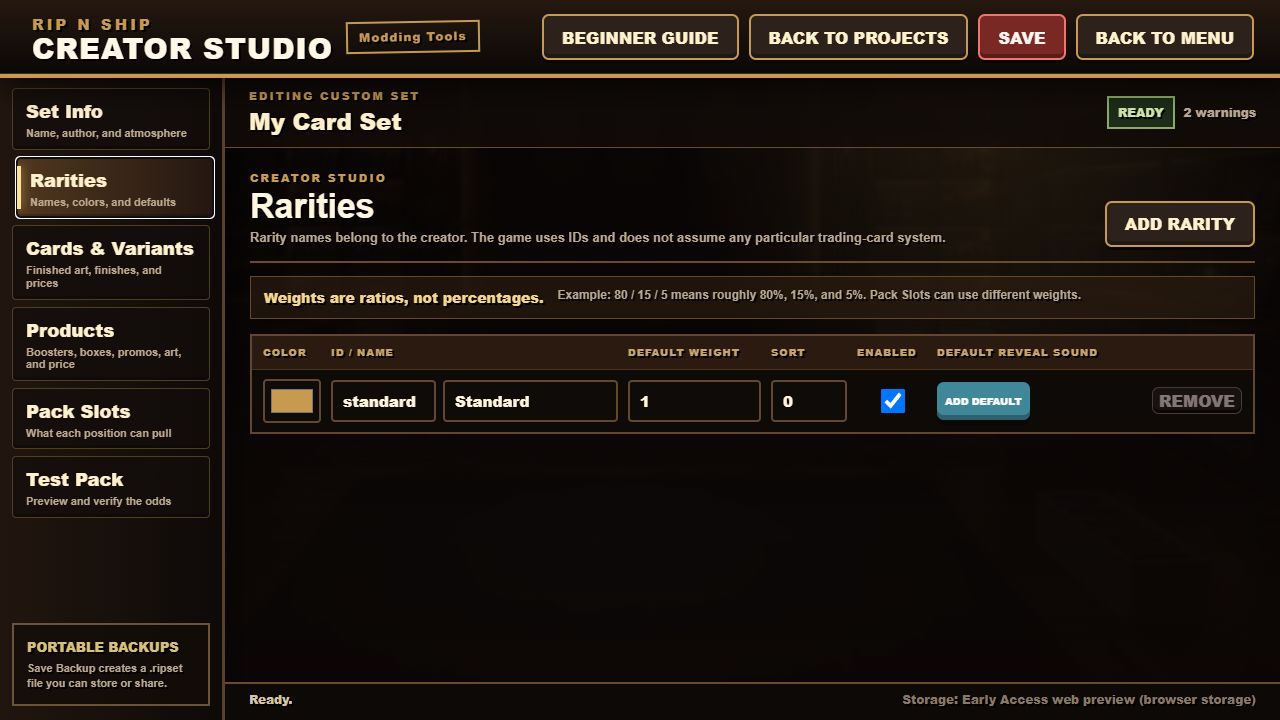
A rarity is a named tier such as Standard, Uncommon, Rare, or Chase. Each rarity has:
- ID: the permanent internal name;
- Player name: the label players see;
- Color: the interface color;
- Default weight: a starting ratio for pack slots;
- Sort order: where the rarity appears in menus.
Weights are ratios, not fixed percentages. For example:
| Rarity ID | Player name | Weight | Approximate share |
|---|---|---|---|
| standard | Standard | 80 | 80% |
| uncommon | Uncommon | 15 | 15% |
| rare | Rare | 4 | 4% |
| chase | Chase | 1 | 1% |
Those numbers total 100, so they are easy to read as percentages. They do not have to total 100. A ratio of 3 to 1 behaves the same as 75 to 25.
Default rarity weight is only a starting value. Each Pack Slot can use a different rarity mix.
6. Cards and variants
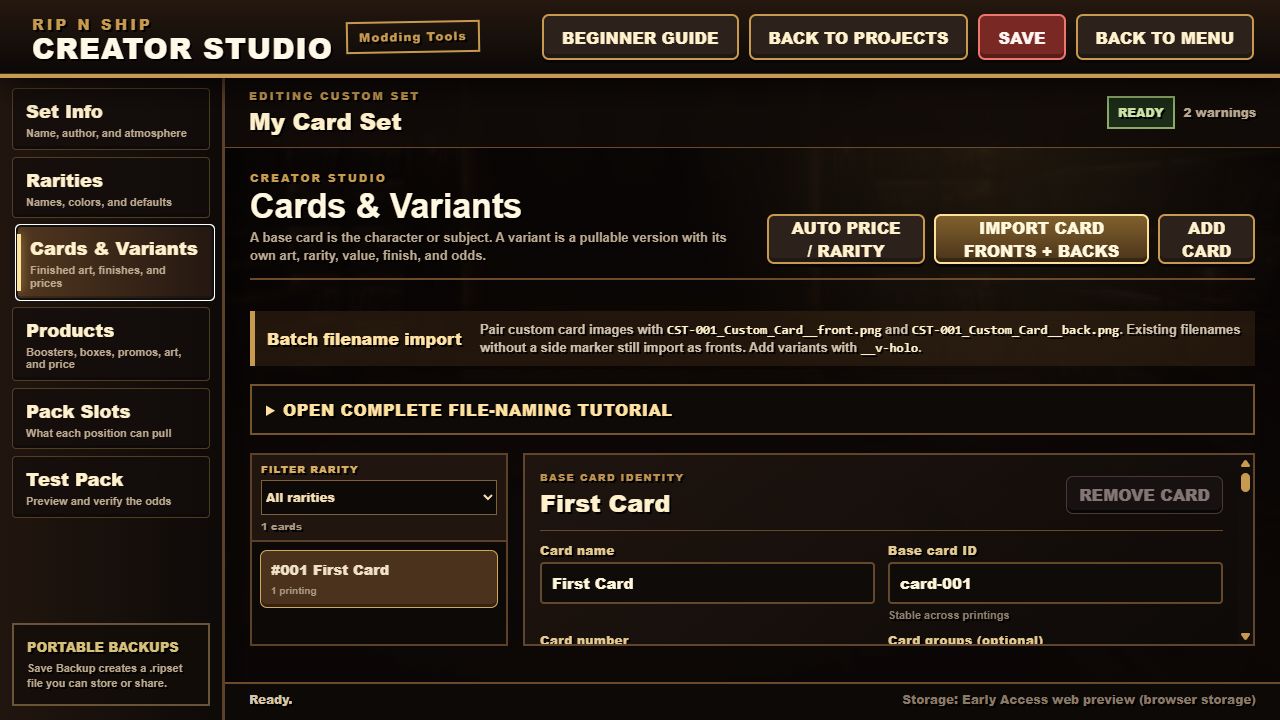
This is the most important distinction in Creator Studio:
- A base card is the shared identity: name, collector number, permanent card ID, and optional shared art.
- A variant is one pullable version of that card: Standard, Holo, Alternate, and so on.
One base card can have several variants. Each variant can have its own:
- permanent variant ID;
- player-facing name;
- rarity;
- raw value;
- image override;
- finish and material recipe;
- chance within its rarity;
- card groups;
- pack eligibility.
Example
Base card: Custom Hero #001
- Standard variant: Standard rarity, normal finish, $0.25 raw value, weight 10
- Holo variant: Rare rarity, holo finish, $3.00 raw value, weight 1
The slot chooses a rarity before the individual variant weight matters. The Holo variant's weight of 1 is not a one-percent chance for the whole pack. It is its relative chance among all eligible Rare variants after Rare has already been selected.
Base art and variant art
Add shared front and back images to the base card when several variants use the same art. Add an image to a variant only when that version needs a different finished front.
Raw price
Raw price is the ungraded card value used by the game economy. It is not the sealed pack price.
Card groups
A group is an optional text label used by Pack Slots to restrict what they can pull. Groups are also called pools in some older explanations.
Most projects with one set and one product can leave groups blank. Use groups when one project contains several subsets or products. For example:
custom-basement-set
starter-product
promo-only
The text must match exactly between the card or variant and the Pack Slot filter.
7. Products
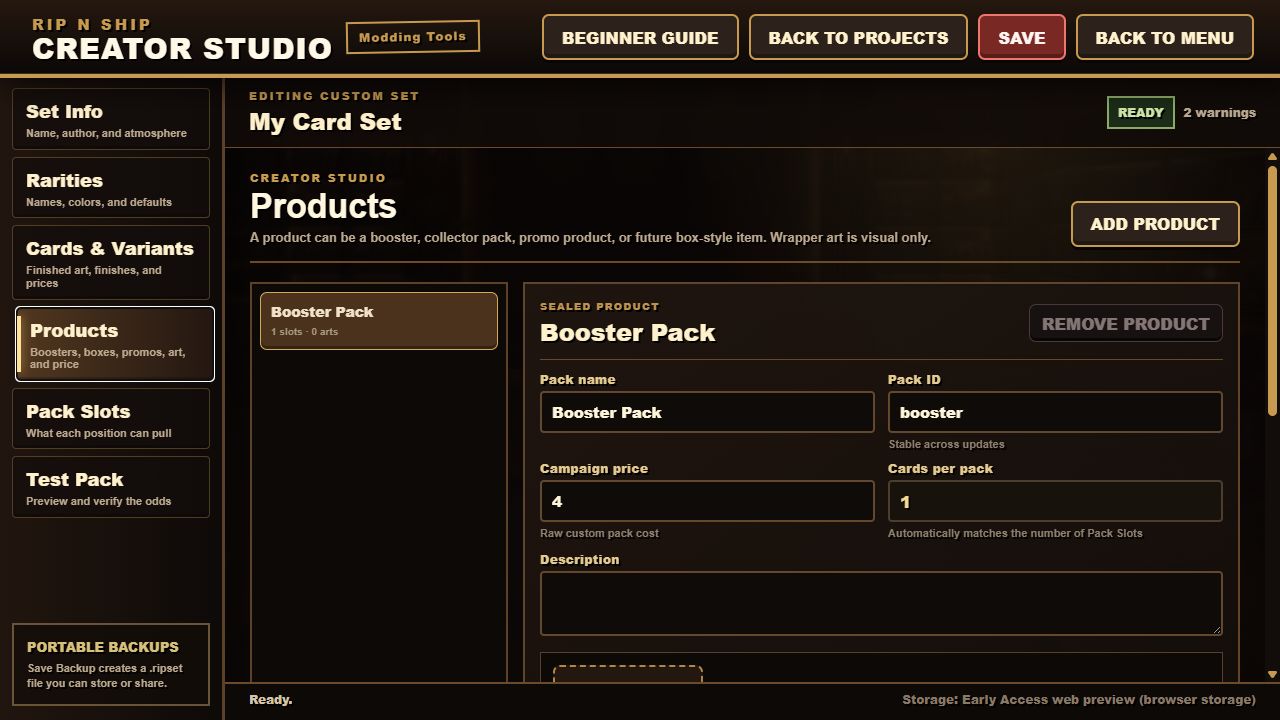
A product is a sealed pack players can buy and open. Products define presentation and price, not the exact card odds.
- Product name is the pack name players see.
- Product ID is its permanent internal identity.
- Description explains the product.
- Price is what the sealed pack costs.
- Cards per pack is calculated automatically from the number of Pack Slots.
- Pack art supplies one or more wrapper images.
- Open sound is optional audio played during opening.
If a product should contain ten cards, give it ten Pack Slots.
8. Pack Slots
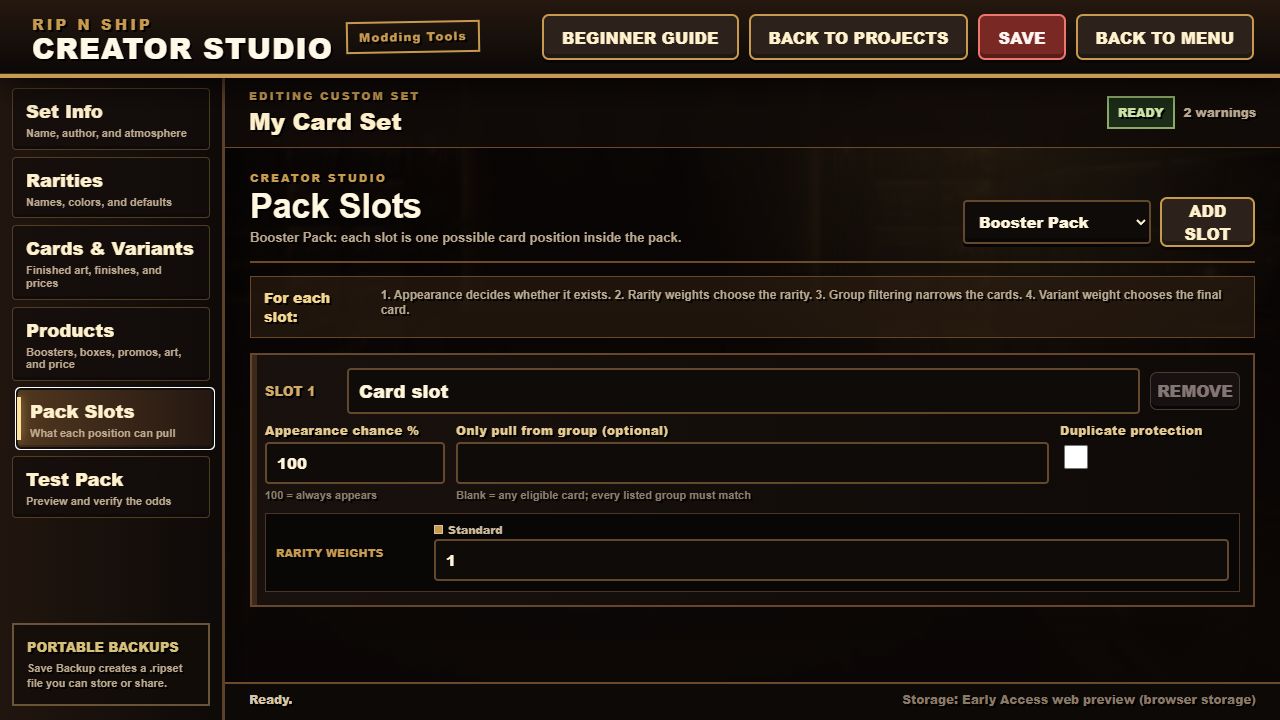
A Pack Slot is one possible card position inside a product. The selection order is:
- Decide whether the slot appears.
- Choose a rarity using this slot's rarity weights.
- Filter eligible cards by the optional group.
- Choose an eligible variant using its chance within that rarity.
- Apply duplicate protection when possible.
Appearance chance
- 100% means the slot always adds a card.
- 10% means the slot appears in about one out of ten packs.
- Appearance chance is separate from rarity weight.
A normal ten-card pack usually has ten slots at 100%. A bonus insert can use an extra slot with a lower appearance chance.
Rarity weights
Only positive weights can be selected. A slot with Standard 75 and Uncommon 25 produces approximately 75% Standard and 25% Uncommon over many packs.
Only pull from group
This filter is optional. If the field contains custom-basement-set, the slot can only see cards or variants carrying that group. Leave it blank to use every otherwise eligible card in the project.
Duplicate protection
Duplicate protection asks the pack to avoid selecting the same base card twice. It works when enough eligible cards exist. It cannot invent a different result if the filtered pool is too small.
Basement Breakers example structure
The built-in Basement Breakers pack is a useful structural example without copying its art or names. It is a ten-card pack:
- Slots 1-6, Bulk: Standard 75 / Uncommon 25
- Slots 7-8, Mid: Uncommon 70 / Rare 25 / Hit 5
- Slot 9, Rare: Rare 70 / Hit 25 / Chase 5
- Slot 10, Chase: mostly Rare, with increasingly small positive weights for the top tiers
Every position appears 100%, and duplicate protection is enabled. This creates a clear pack rhythm: several ordinary cards, two better middle positions, one strong position, and one final chance at the top tiers.
Do not copy those numbers blindly. Use them to understand structure, then tune the mix for the size and economy of your own set.
9. Test Pack
Testing is how you discover missing art, empty pools, broken rarity references, and odds that only looked correct on paper.
Use this order:
- Open 1 Test Pack. Confirm the card count, images, backs, finishes, and wrapper.
- Simulate 100 packs. Catch empty slots, missing groups, zero weights, and major mistakes.
- Simulate 1,000 packs. Compare observed rarity percentages and average raw pack value with your intent.
- Read every warning. Red issues must be fixed. A warning may be intentional, but never ignore one without understanding it.
If a slot produces no card, check these in order:
- Does the slot have at least one positive rarity weight?
- Does at least one variant use that rarity?
- Is that variant pack eligible and not promo-only?
- If the slot filters by group, does the card or variant have the exact same group?
- Does the eligible variant have a positive chance within its rarity?
10. Save, back up, and publish
Click SAVE and wait for the button to turn green and read SAVED. Then choose BACK TO PROJECTS.
Each project has these actions:
- Edit or Edit Details returns to the project.
- Publish to Steam creates its first Workshop item.
- Update on Steam sends a new version to the same Workshop item.
- Save Backup creates a portable
.ripsetfile. - Delete Project removes the local Creator Studio project after confirmation.
Publishing and backing up are separate. Publishing does not replace a local backup. Save a .ripset before a major edit and before publishing an update.
11. Update an existing project safely
For a normal update:
- Open the existing project rather than importing it as a new project.
- Keep all existing IDs unchanged.
- Increase the version.
- Add or edit cards, variants, products, and art.
- Run the Test Pack checks again.
- Save a backup.
- Choose Update on Steam.
Removing a card or changing its ID can affect cards players already own. Prefer disabling future pulls while preserving the original identity when compatibility matters.
12. Plain-language glossary
- Set: the complete card catalog and all of its products.
- Series: the collection group shown in Binder and CardBay.
- Product: a sealed pack players can buy and open.
- Slot: one possible card position inside a product.
- Rarity: a named tier selected by a slot's relative weights.
- Base card: the shared identity of one collectible.
- Variant or printing: one pullable version with its own odds, value, finish, and optional art.
- Group or pool: an optional label used to filter which cards a slot may pull.
- Material recipe: the visual foil, gloss, texture, and mask treatment applied over finished art.
- Raw price: the ungraded value of one card variant.
- Appearance chance: whether a Pack Slot exists in a particular pack.
- Chance within rarity: the relative weight of a variant after the slot selects its rarity.
- Duplicate protection: an attempt to avoid repeating the same base card in one pack.
.ripset: a portable Creator Studio project backup containing project data and embedded assets.
A safe first practice project
If the full workflow still feels overwhelming, build the smallest possible project:
- One set with a shared card back
- One Standard rarity
- One base card with one Standard variant
- One product with wrapper art
- One Pack Slot at 100% with Standard weight 1
- One successful Test Pack
Then add one new concept at a time: a second card, a second rarity, a second slot, a holo variant, and finally an optional group. This makes it obvious which change caused a warning or an empty pull.